
Quotivity Admin users can manage the users on their account. Each user must be given a role, which grants them access to different functionality.
Admin users
Can administer Quotivity and create quotes. Admin users are the only users who can:
- Manage Quote Rules
- Manage Price Books
- Manage application preferences
- Manage other users
Sales Rep users
Sales Rep users are only allowed to manage Quotes.
Any licensed user is able to review (approve or reject) quotes.
How to Manage Users
- Go to the Quotivity Admin page
- Click "Users"
- Select user and assign them a role.
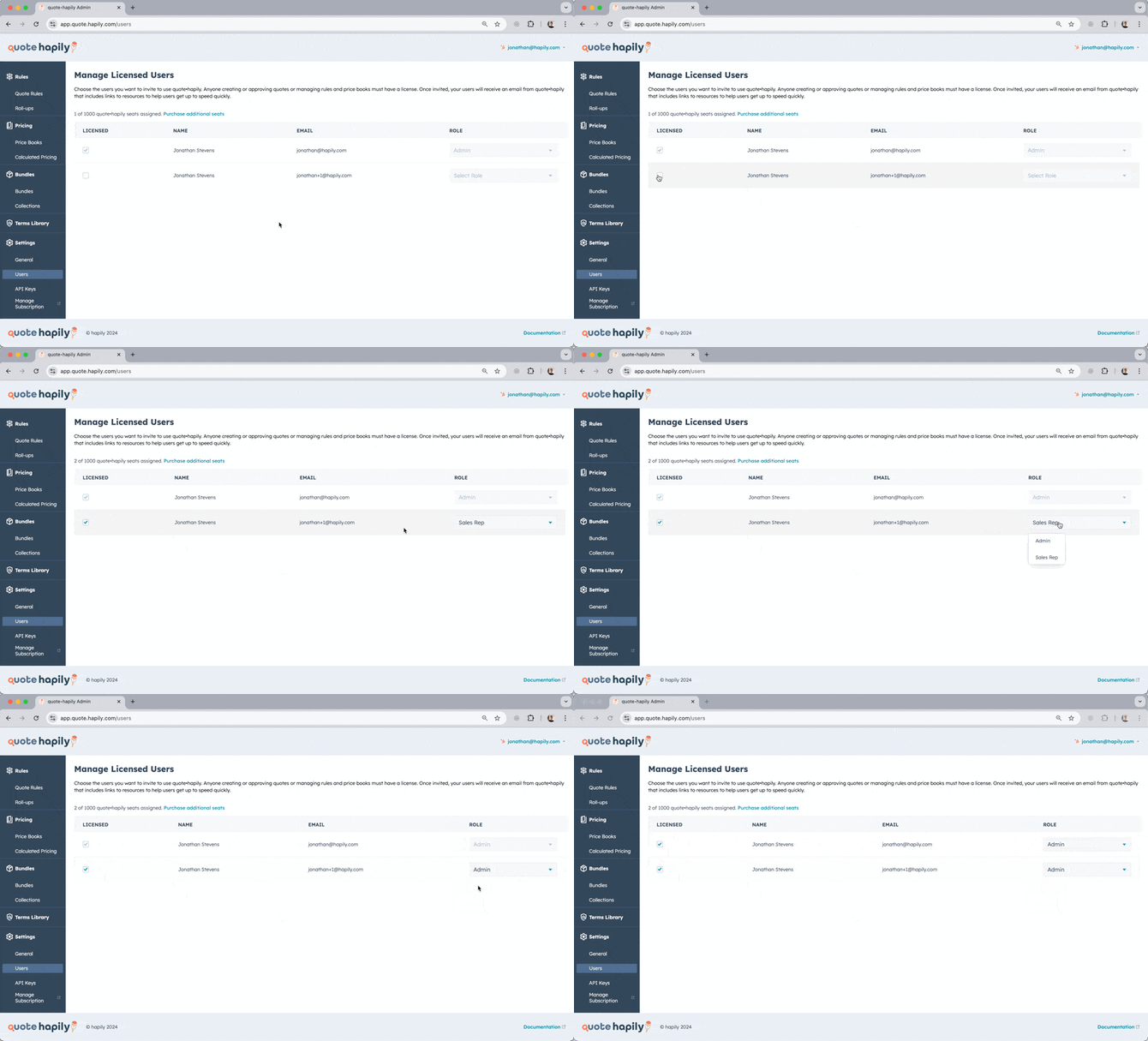
Unless you're on trial, you may only grant as many users access as you've purchased.
You can learn more about backup approvers and how to manage them here: Manage Backup Approvers