

Assigning price books to companies
Tie a price book to specific companies so the right catalog applies automatically for each customer.
This feature requires an Enterprise plan.
Overview
Section titled “Overview”When certain customers have negotiated pricing, you can assign a price book directly to their companies. From then on, quotes for those companies draw from that catalog — no need to hand-pick a price book per deal. It’s the cleanest way to keep account-specific pricing consistent.
Prerequisites
Section titled “Prerequisites”- A price book that holds the customer’s pricing — see Creating a Price Book
- The companies you want to assign it to already in HubSpot
- Open the company in HubSpot. Go to the company record that should use the custom pricing.
- Set the company’s price book. On the company record, set the price book
that should apply to that company.
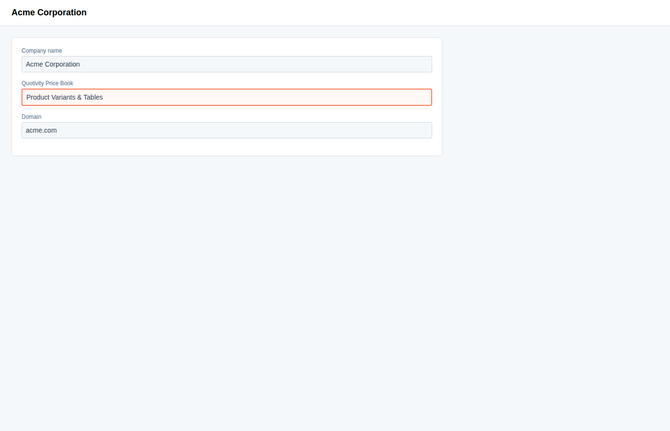
- Save. Save the company record.
Quotes for that company now use the assigned price book, so reps quote the right catalog for each customer automatically. A price book assigned this way is locked on the quote, so reps can’t switch it.
Example
Section titled “Example”A key account negotiated a custom rate card. Create a price book with their pricing, set it on their company record, and every future quote for that account uses their rates without anyone selecting a book by hand.
- Company assignment and Set Price Book rules can work together, but a matching Set Price Book rule takes precedence over a company assignment — use rules for broad cases like region, and company assignment for specific accounts.
- Keep one price book per pricing arrangement so assignments stay easy to reason about.
Related articles
Section titled “Related articles”Ask the help center
Answers come from these guides, with links to the articles used.
Ask anything about configuring quoting in Quotivity Studio.