

Navigating Quotivity Studio
Find your way around Quotivity Studio — the left sidebar groups Rules, Pricing, Configurable Products, Guided Selling, Templates, and Settings.
Overview
Section titled “Overview”Quotivity Studio is the admin app where you set up and manage quoting for your company. Everything you configure lives behind the left sidebar. This article gives you a quick tour so you know where each feature lives.
You need an Admin role to see most of Studio. If a section described here is missing, check your role or whether the feature is included in your plan.
The sidebar at a glance
Section titled “The sidebar at a glance”The left sidebar is your home base. Each section expands to reveal the pages inside it.
- Rules Engine — your quoting logic.
- Quote Rules — conditions and outcomes that govern quote behavior.
- Roll-ups — fields that aggregate values across line items (Pro and up).
- Pricing — what your products cost.
- Price Books — catalogs that set product prices.
- Calculated Pricing — formulas that price products at quote time (Enterprise, Trial, and Legacy Pro).
- Configurable Products — configurable groups of products.
- Bundles — bundle definitions and their options (Pro and up).
- Collections — reusable groups of products (Pro and up).
- Compatibility Rules — which bundle products can be selected together (Enterprise).
- Dynamic Property Sets — which line item properties show per product (Enterprise).
- Guided Selling — questionnaires for quote creation and building
(Enterprise and Trial; complimentary on Legacy Pro through November 1, 2026).
- Flows
- Question Library
- Templates — how quotes look and read.
- Quote Templates — layout and styling for quote documents (Pro and up).
- Terms Library — reusable terms and conditions (Pro and up).
- Settings — account configuration.
- Application Settings — quoting, approval, templates, and your own account pages (see below).
- Users — invite teammates and manage roles.
- API Keys — keys for connecting other systems (Enterprise and Legacy Pro).
- Import & Export — price book import and export.
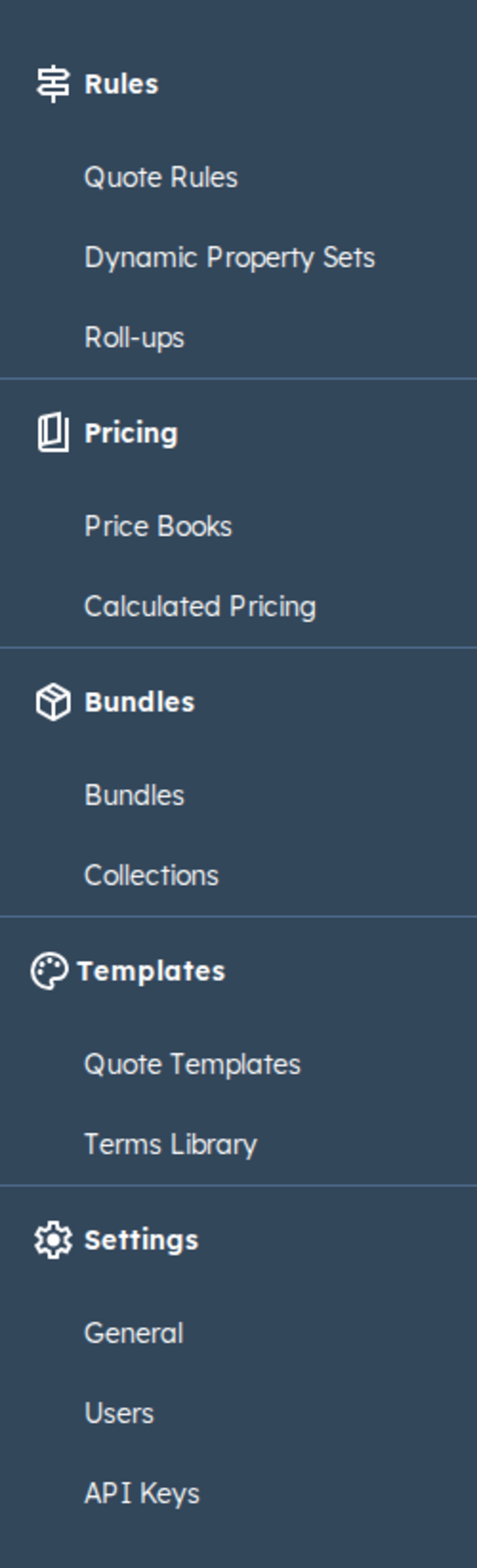
Some items only appear when your plan includes them — for example Compatibility Rules, Dynamic Property Sets, and API Keys.
The dashboard
Section titled “The dashboard”When you open Studio, you land on the dashboard — titled “What would you like to do today?” It gives you quick-access cards to common tasks and, if you’re still getting set up, a Setup checklist that tracks your progress through the essentials.
Settings
Section titled “Settings”Settings is a split nav, not a single General page with tabs:
- Quoting — Sender Companies, General Quote Settings, Quote Details (Enterprise; Pro sees an upgrade message), Line Item Table Columns, Quote Emails (Enterprise; Pro sees an upgrade message), and AI Assistant (add-on).
- Approval & Review — Quote View / Review, Notification Channels, and Customize Notifications.
- Quote Templates — Hosting Location (custom domain) and Electronic Signatures.
- My Account — Agent API Tokens (any role).
Users and API Keys stay as sidebar items under Settings, next to Application Settings.
Related articles
Section titled “Related articles”Ask the help center
Answers come from these guides, with links to the articles used.
Ask anything about configuring quoting in Quotivity Studio.