

Cloning a Price Book
Copy a price book's products and pricing into a new book, ready to tweak as a starting point.
Overview
Section titled “Overview”Cloning copies an existing price book — all its products and pricing rules — into a brand-new book. It’s the fastest way to spin up a variation: a regional version, a new fiscal-year price list, or a promotional catalog. You start from a known-good set of prices and adjust only what’s different.
- Open Pricing → Price Books. From the Quotivity Studio sidebar, go to Pricing and select Price Books.
- Clone the price book. Find the book you want to copy and choose Clone.
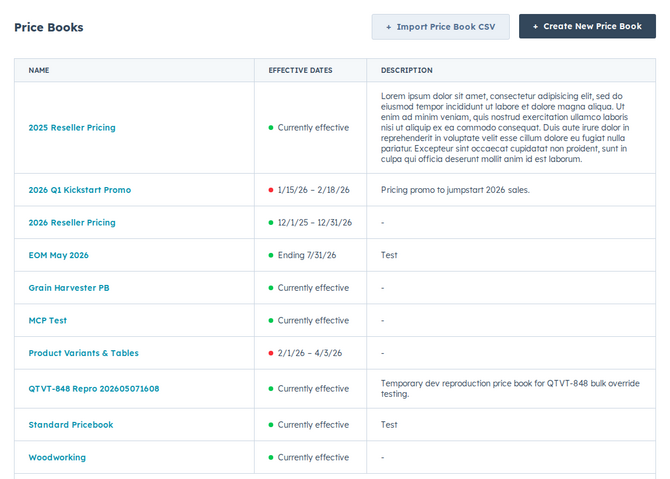
- Name the new book. Give the clone a clear name so it’s easy to tell apart from the original.
- Adjust the prices. Open the new book and change only the entries that differ from the source.
- Save. Save your changes.
You now have a new price book that started as an exact copy — products and pricing rules included — ready to use or refine.
Example
Section titled “Example”You’re preparing next year’s pricing. Clone this year’s book, name it for the new year, bump the affected prices, and schedule it with effective dates so it goes live on January 1.
- Cloning copies pricing rules too — volume tiers and pricing tables come along, so you’re not rebuilding them.
- Pair cloning with effective dates to stage a price change without disturbing your current book.
Related articles
Section titled “Related articles”Ask the help center
Answers come from these guides, with links to the articles used.
Ask anything about configuring quoting in Quotivity Studio.