

Organizing bundles into Collections
Group products into a reusable Collection a Quote Rule can add to a quote together in one step.
Overview
Section titled “Overview”A collection is a reusable group of products that a Quote Rule or a sales rep can add to a quote all at once. Where a bundle is configured by the rep, a collection is a fixed set of products you define once and reuse across rules and the Quote Builder Collections tab — handy for things like a standard starter kit or a set of items that always go together.
Prerequisites
Section titled “Prerequisites”- An Admin role in Quotivity Studio
- The products you want to group already in your HubSpot product catalog
- Open Collections. In Quotivity Studio, go to Configurable Products →
Collections. You’ll see your existing collections.
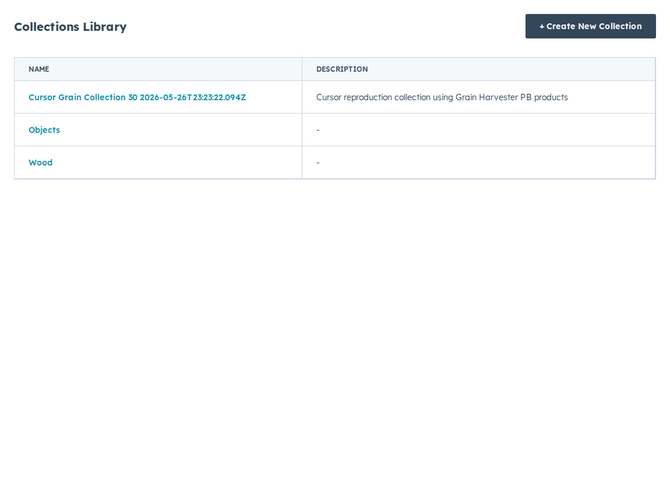
- Create a collection. Click New collection, then give it a clear name and an optional description so it’s easy to find when you build a rule.
- Add products. Add the products that belong in the collection. Set their order so they appear on the quote the way you want, and override any product properties you need to for this collection.
- Save the collection. Save your changes so the collection is ready to reference from a rule.
- Reference it from a rule. Create or open a Quote Rule and choose the Add Collection outcome, then select your collection. When the rule’s conditions are met, every product in the collection is added to the quote together.
When the rule runs and your collection’s products appear on the quote, the collection is doing its job.
Example
Section titled “Example”You always include three onboarding items with new platform deals. Put them in a “New customer onboarding” collection, then add an Add Collection outcome to a rule that fires on new-business deals. Every qualifying quote gets all three items in one step.
- Use collections for fixed sets reps shouldn’t have to assemble by hand; reach for bundles when the rep needs to configure choices.
- Update a collection once and every rule that references it picks up the change.
- Every collection appears in Quote Builder, even when some of its products are outside the quote’s price book. Adding still requires every product to be in that book. See How Collections work with Price Books.
Related articles
Section titled “Related articles”Ask the help center
Answers come from these guides, with links to the articles used.
Ask anything about configuring quoting in Quotivity Studio.